With existing assets ready, allow roughly 75–150 minutes for your brief, file selection and reviews across the project. New recordings and internal approvals are extra; this is a planning allowance, not a measured average.
From $199 USD before tax covers one standard video up to 30 seconds. A standard single-video order covers one film in the purchased duration and one selected aspect ratio, with one in-scope revision. Additional cuts, ratios and language versions are agreed separately. Location filming, CAD modeling, campaign management and ad placement are not included in the published plans.
For a full crowdfunding film, several product workflows or a larger launch, discuss the project first. Your brief and materials determine the fit; the final order confirms the scope and price.
Set the scope
Ask us about the fit, or choose a plan. First-time single-video clients share a short creative brief at checkout before payment.
Add your materials
After payment, complete the project brief and upload approved product, interface and brand materials in your workspace. Your checkout answers carry forward.
Review the direction
Standard orders include materials review and an optional storyboard preview. Rush goes from submitted materials straight to production.
Preview & delivery
Review the film, use the included in-scope revision if needed, then accept the HD delivery. Campaign packages are planned by email after payment.
Your contribution at each stage
Client participation planning allowance, with existing materials ready
Your task
Suggested allowance
What to do
Brief and scope
15–30 minutes
Choose one audience, message, format and decision-maker.
Gather existing assets
30–60 minutes
Organize approved files. Recording new footage takes additional time.
Review the direction
15–30 minutes
Optional storyboard review on standard orders.
Review the video
15–30 minutes
Check the complete preview and consolidate timestamped notes.
Total: about 75–150 minutes across the project. These are planning allowances, not measured averages or promised time savings. New photography, recordings, internal approvals and additional feedback are extra.
Take a look inside.
From your first brief to a film that’s ready to share.
Example projectBrief & materials
Creative pathSubmitted
Your submitted brief.
Review your answers 6 answers
Brand name
Sample product
What do you make or offer?
A bottled-water product film.
Who should this speak to?
People discovering the product on social media.
What should they remember?
A clear introduction to the product and its packaging.
What should viewers do next?
Learn more about the product.
How should it feel?
Solivo will choose a direction
Supporting detailsOptional
Brand & productThis videoStyleMaterials
Example projectMaterials review
Information & assets
Add the information and files this video needs. Text answers are welcome; upload the assets that should appear in the film.
No additional items were identified. You can share a folder or file link below.
References
Share examples of style, pacing or mood. These guide the film rather than appear in it.
Product references✓ 1 added
Show the packaging and the details to keep in view.
Clear product images.
product-reference.webp26 KB
Submitted project brief
Sample product film
Brand & product
Brand name
Sample product
What do you make or offer?
A bottled-water product film.
This video
Who should this speak to?
People discovering the product on social media.
What should they remember?
A clear introduction to the product and its packaging.
What should viewers do next?
Learn more about the product.
Style
How should it feel?
Let Solivo choose
Example projectOptional storyboard
Concept storyboard · Sample product film
A product film, in three scenes.
Illustrative storyboard using frames from the sample film.
This storyboard is a preview to confirm the visual style, overall look and feel, and broad story direction. All final details are defined by the finished video.
3 shots · In sequenceOpen any frame to view full size
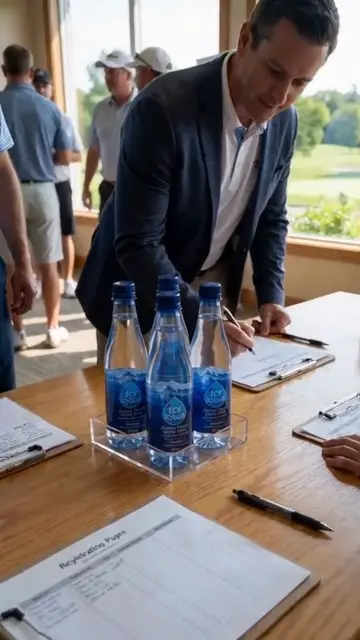
Concept frame00:00–00:05
01 / S01
Meet the product
Establish the product and its setting.
Concept frame00:15–00:20
02 / S02
A closer look
Move into a product-led detail.
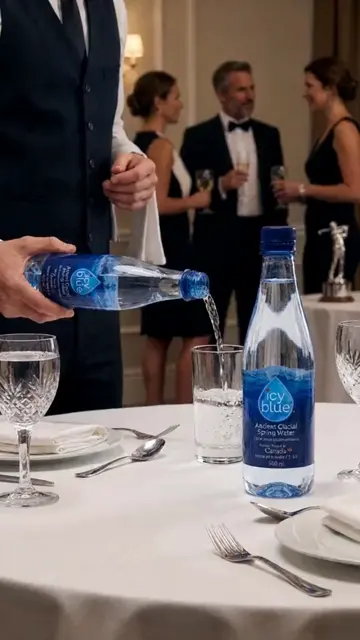
Concept frame00:30–00:35
03 / S03
The closing scene
Connect the product with a moment in the story.
Storyboard approved Oct 20, 2026.
This video's visual style and story direction are set. Production starts once every storyboard has your answer.
Example projectProduction
Production progress
In production
50%
Submitted project brief
Sample product film
Brand & product
Brand name
Sample product
What do you make or offer?
A bottled-water product film.
This video
Who should this speak to?
People discovering the product on social media.
What should they remember?
A clear introduction to the product and its packaging.
Share a short creative brief at checkout. After payment, complete the project brief and add your logo, product images and footage in your workspace.
02
Materials review
A clear starting point.
We check your brief and assets within 24 hours. If something is missing, we ask on your project page and by email.
03
Optional storyboard
Picture the direction.
Review the proposed shots, voiceover and on-screen text. Approve the direction or leave notes for production. You can also skip this step once your materials are in.
04
Production
The pieces become a film.
We bring the direction and your materials together, then post a watermarked video preview and its storyboard table in your workspace.
05
Preview & delivery
Make the final call.
Watch your preview. Approve it to download the HD file, or use your optional free revision to refine it before accepting the finished version.
Find your production path.
Before payment you answer a few order questions; first-time single-video clients also share a short creative brief, while returning clients only set the details of their next video. After payment, complete the project brief and upload materials in your workspace; checkout answers carry forward. Single videos then continue in your project workspace; campaign packages are planned by email after payment. Every clock below runs in calendar hours, weekends included.
Standard single video
Materials
5–10 minutes
Add your logo, product shots, footage and references in your project workspace. Your checkout answers are already saved.
Materials review
Within 24 hours
We check your brief and materials. If anything is missing, we ask on your project page and by email, and the 24 hours restart from your reply.
Storyboard preview
Within 24 hours
Shots, voiceover and on-screen text to review before production: approve them, or send notes we apply as we make the video. Recommended, but you can skip it once your materials are in.
Production
Within 72 hours
We produce your video and post a watermarked preview with its storyboard table.
Preview & delivery
Your call
Happy with the preview? Approve it and download the HD file. Not quite? Your one free revision is optional, returned within 24 hours.
Rush single video
Materials
5–10 minutes
Add your logo, product shots, footage and references in your project workspace. Your checkout answers are already saved.
Rush production
Within 25 or 48 hours
No review or storyboard step: production starts the moment you submit, so your materials must be complete.
Preview & delivery
Your call
Happy with the preview? Approve it and download the HD file. Not quite? Your one free revision is optional, returned within 24 hours.
Campaign Package
We plan it together by email
We reply within 1 business day
A campaign package covers 13 videos, so we scope it with you by email. Write to troytse@solivo.ai with your order number.
Production capabilities
Your brief, source assets and approved facts guide the production. These capabilities describe how the agreed film is made; each order still has a defined runtime, format and review scope.
Script to finished video
Bring an existing script, outline or notes into Solivo's production process.
Your starting point
Your script or outline, audience, pronunciation notes and visual references.
The finished result
A finished video with the agreed scenes, narration, music and captions.
Mark the words that are fixed
Identify approved quotations, names, claims and mandatory lines. Tell us where the studio can rewrite for clarity or spoken pacing.
Give the story a visual sequence
The standard path offers a storyboard preview before production. It helps align shots, voiceover and on-screen text; rush skips this stage.
Allow space for visuals
A script's word count is only part of runtime. Demonstrations, transitions and quiet moments need time as well.
Real brand assets
Provide logos, product references, footage and rules for what must stay accurate.
Your starting point
Brand files and usage instructions, including elements that must be used as supplied.
The finished result
A production direction grounded in your real business and approved materials.
Separate fixed and flexible details
State which assets must remain unchanged and which backgrounds, people or atmospheric scenes AI may create.
Explain how each file should be used
File names and notes help distinguish a final logo from an old version and a product reference from a style reference.
Keep claims supported
Provide approved wording and evidence for results, credentials and product benefits. Generated scenes should not be used as factual proof.
Storyboard preview
Optionally review the proposed shots, voiceover and on-screen text on the standard production path. Rush skips this stage.
Your starting point
A complete brief and materials submitted for a standard single-video order.
The finished result
An optional storyboard preview you can approve, respond to or skip before publication.
See the direction before the final cut
The storyboard connects your message to proposed shots and spoken or written lines. Review important details while the direction is still being shaped.
Choose the right production path
The storyboard stage is recommended but can be skipped after materials are submitted. Rush orders skip both materials review and storyboard preview.
Make feedback specific
Reference the shot and explain the change: a different product angle, a corrected line or a detail that must be kept.
Voiceover & subtitles
Specify language, voice, pronunciation and subtitle needs in your creative brief.
Your starting point
An approved script, language choice, names and pronunciation notes. Voice cloning requires a suitable sample and permission.
The finished result
The voiceover and subtitle treatment agreed for your video.
Choose the spoken and written language
The current brief supports English, Chinese and bilingual choices. Distinguish the spoken language from the subtitle language.
Match the voice to the message
Describe the tone and pace, or choose a no-voice treatment with music and text. A cloned voice needs a sample under one minute and the necessary rights.
Review more than spelling
Check names, technical terms, timing and whether captions remain readable in the intended crop.
Formats for your channels
Choose a vertical, horizontal, square or custom format that fits the video placement.
Your starting point
Target platforms, intended placement and required aspect ratio.
The finished result
The format selected for a single video, or the format allocation agreed for a campaign package.
Choose the destination first
Checkout asks where your video will run and suggests a format. You can select vertical 9:16, horizontal 16:9, square 1:1 or describe another requirement.
Protect important framing
A logo, face or caption may sit too close to platform controls. Explain the actual placement so production can allow suitable space.
Agree additional versions
A single-video order does not automatically include every aspect ratio. Additional versions and campaign format distribution must be agreed with the studio.
Preview & revisions
Review the produced video, send focused notes and accept the finished delivery.
Your starting point
Your feedback on the preview, with shot references and the requested changes.
The finished result
A revised preview when requested, followed by the accepted HD delivery.
Review the whole film
Watch the preview for story, product details, wording, audio and format. Collect your feedback before submitting the revision request.
Use the included revision clearly
One free revision is included under the Production Agreement. Changes must stay within the agreed scope; additional paid revisions follow the published whole-length pricing rule.
Approve and download
When the video meets the agreed direction, accept the version and access the HD file. The project workspace keeps the preview and delivery steps together.
Rush production
Choose the current 25-hour or 48-hour rush tier for a single-video order.
Your starting point
A paid rush order and complete submitted brief and materials.
The finished result
A video preview within the assigned rush tier, measured from materials submission.
Prepare before starting the clock
Rush skips materials review and storyboard preview. Production begins when you submit your materials, so missing files and unclear instructions reduce the opportunity to align first.
The queue determines the tier
The current queue at payment determines whether the order uses the 25-hour or 48-hour tier and its corresponding price. Checkout confirms the actual quote.
Keep the scope focused
Rush is for single videos. Campaign packages have their own planning and schedule, agreed by email.
Working from product photos
See the category-specific reference checklist, realistic limits and product-film examples in product photos to AI video.
We use Google Analytics and PostHog to see which pages and films help visitors decide, including cookies and anonymised session recordings on public pages. Signed-in project pages are never recorded.